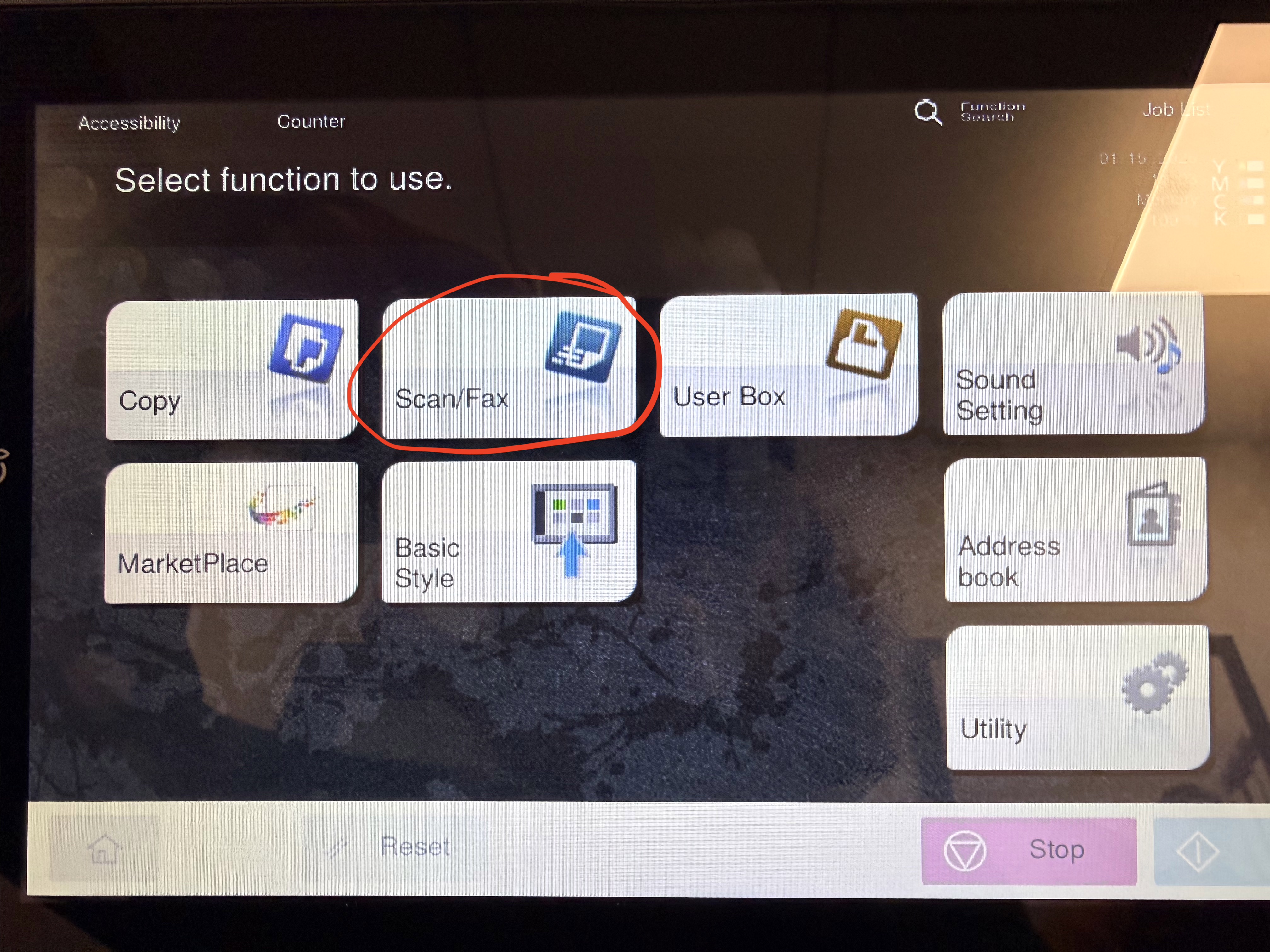
- From the Home Screen - Click on Scan/Fax
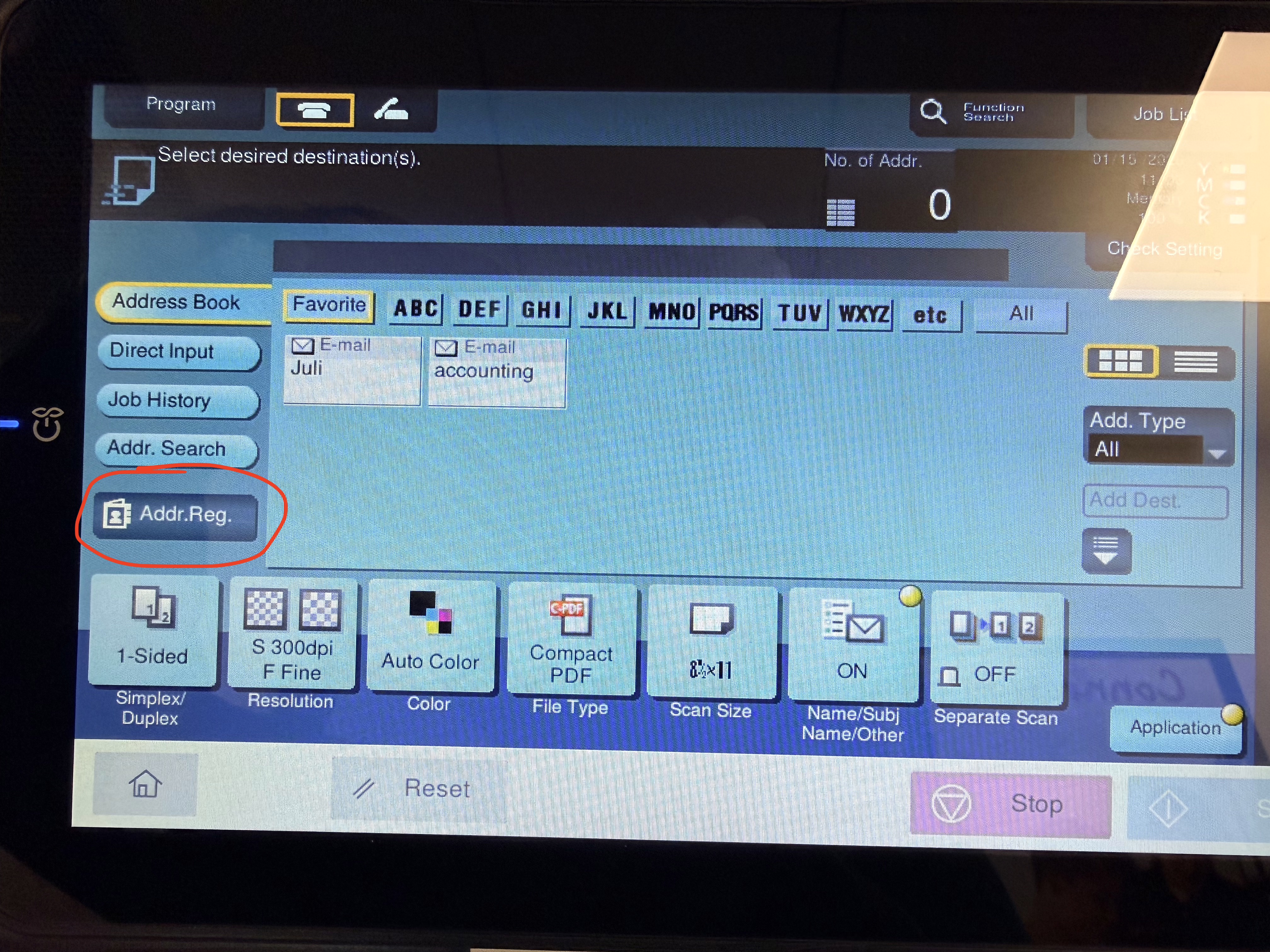
- Click on Addr. Reg. (Address Registration) - Found on the left side of the screen
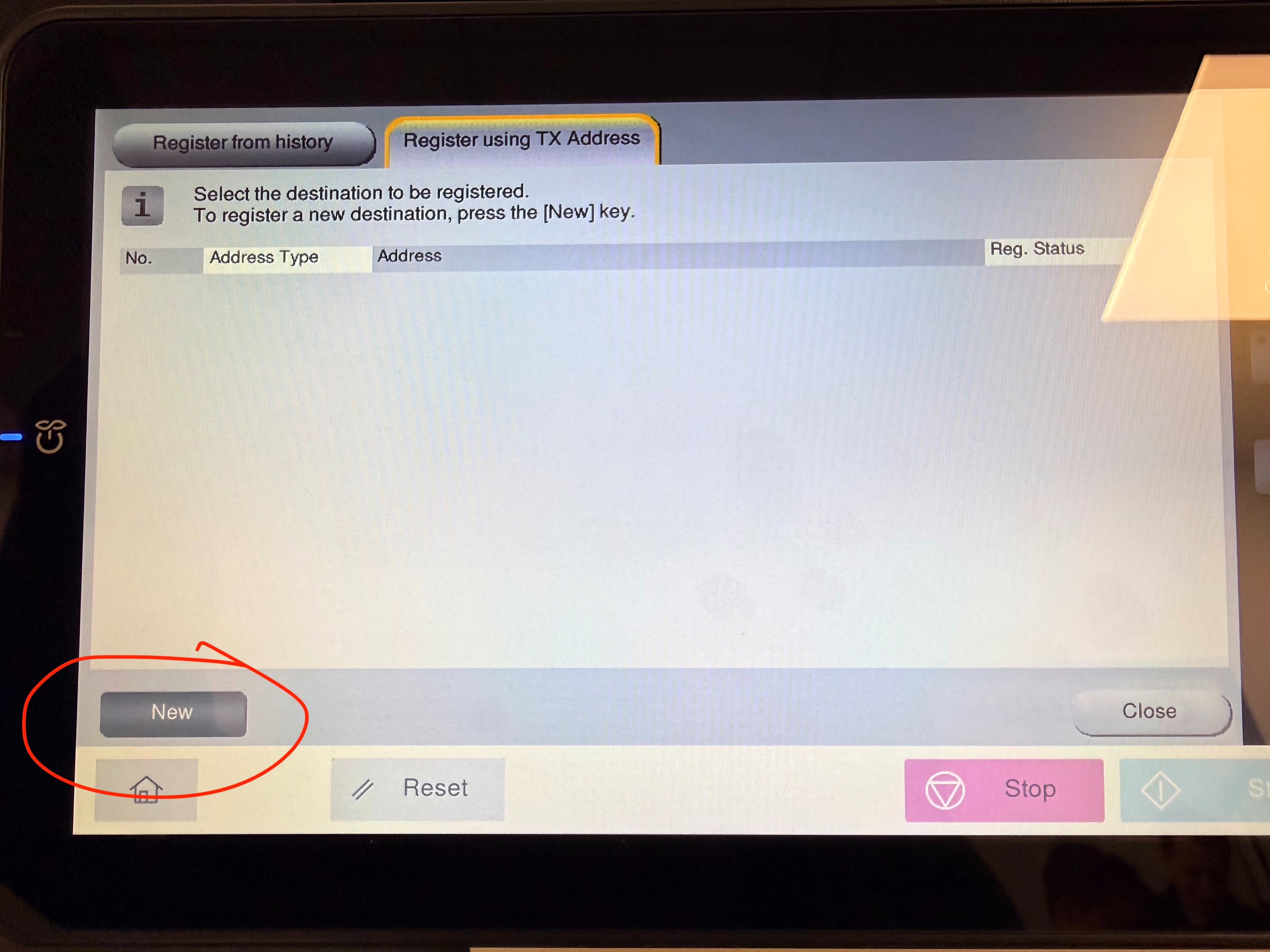
- Click on Next - towards the bottom left of the screen
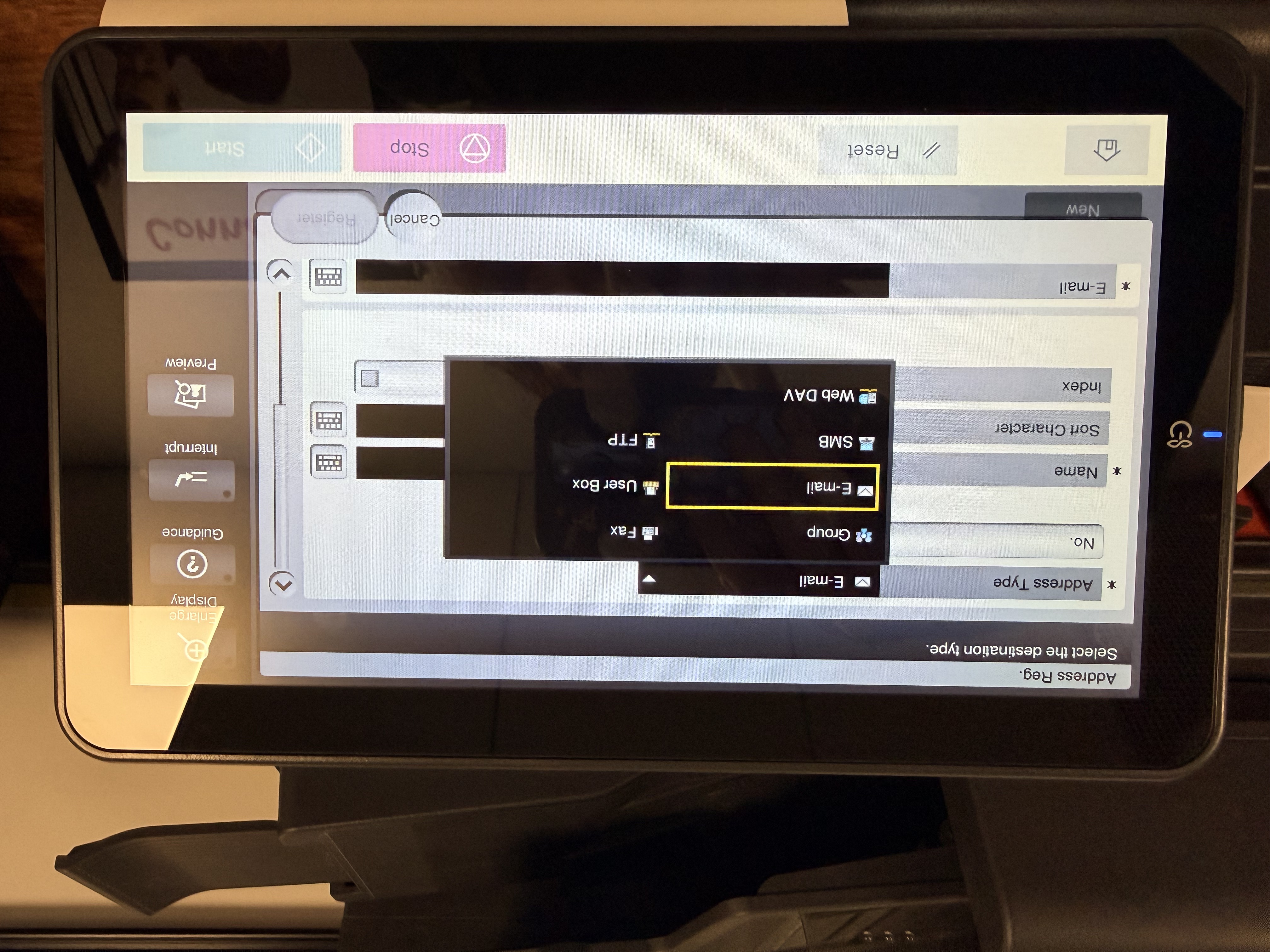
- Click the black box beside the Header: Address Type
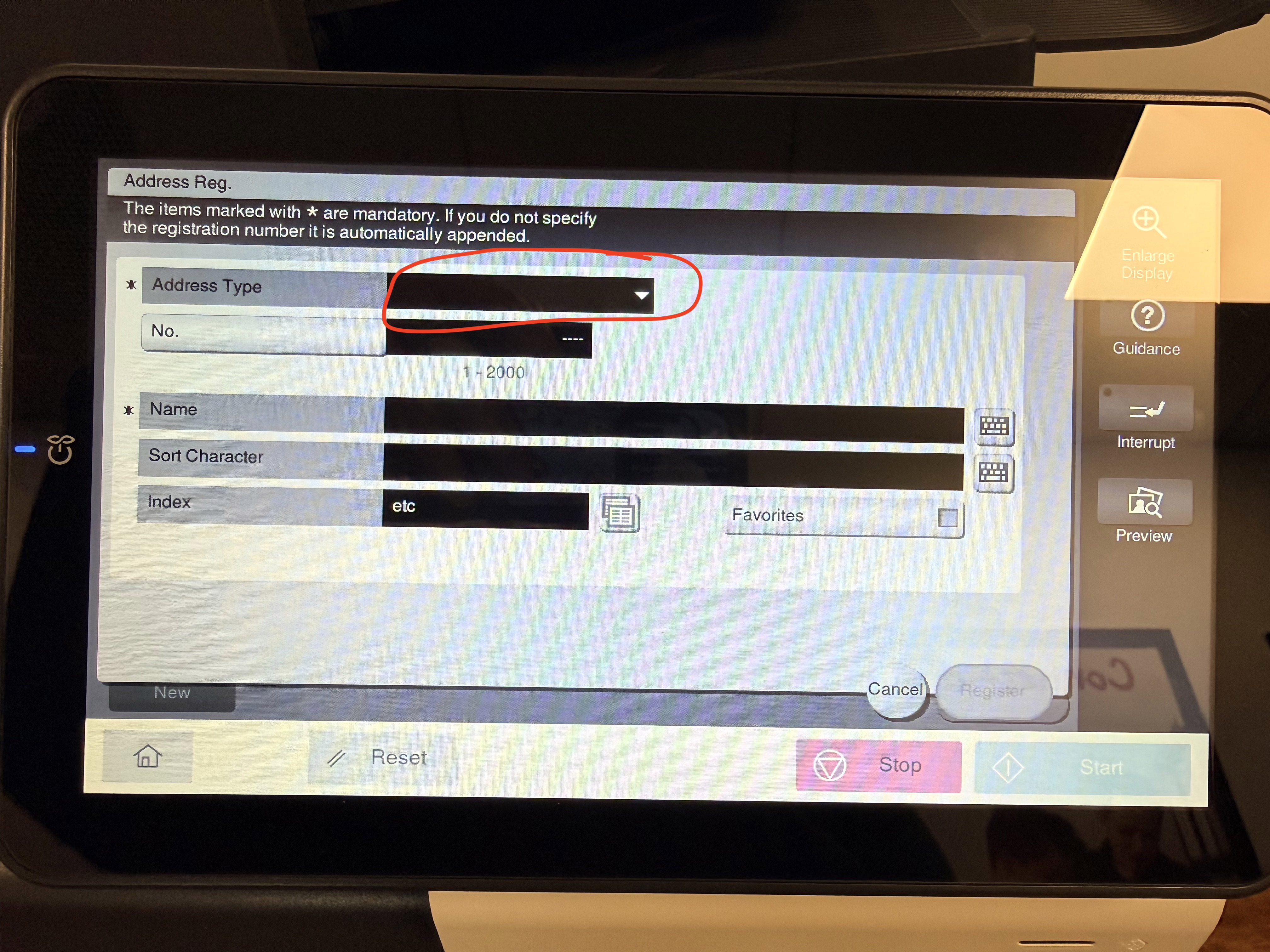
- Select Email from the dropdown
- Fill out the Name and Email. You can also check the box beside Favorites if you want the email to show up first.
Finally, click Register when everything is inputted.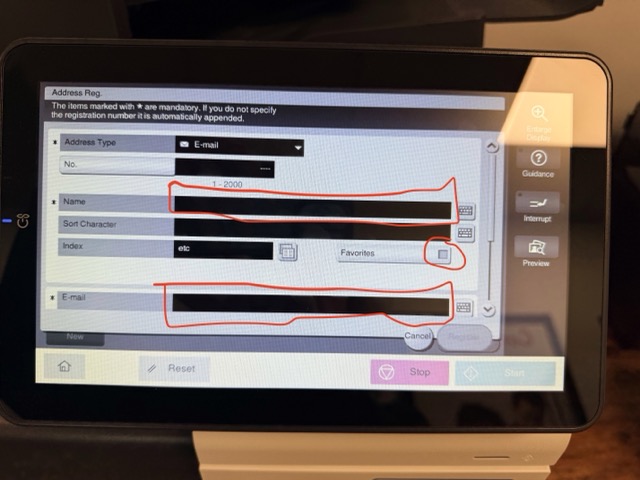
- Here is a video going through all the steps:
Was this article helpful?
That’s Great!
Thank you for your feedback
Sorry! We couldn't be helpful
Thank you for your feedback
Feedback sent
We appreciate your effort and will try to fix the article